All posts / Article / 6 min read
What is Mumbin used for? Nine everyday use cases
Mumbin keeps texts, files, tables and tasks together. These nine ideas show how versatile that is in everyday life.
1. Keep a digital journal
Write one page a day and protect it with a password of its own, or create a sealed notebook right away. Tags such as @grateful or @idea organise entries across the order of dates. More in the article Keep an encrypted digital journal.
2. Learn and study
Create a page per subject with subpages for lectures, link terms to each other and use backlinks to see connections. Search finds definitions in seconds, and tasks with a deadline remind you of due dates.
3. Plan trips
Collect destinations, booking confirmations as PDFs, packing lists and daily plans on one page per trip. You simply drag pictures into the page. On the road everything is available offline.
4. Keep projects and tasks in view
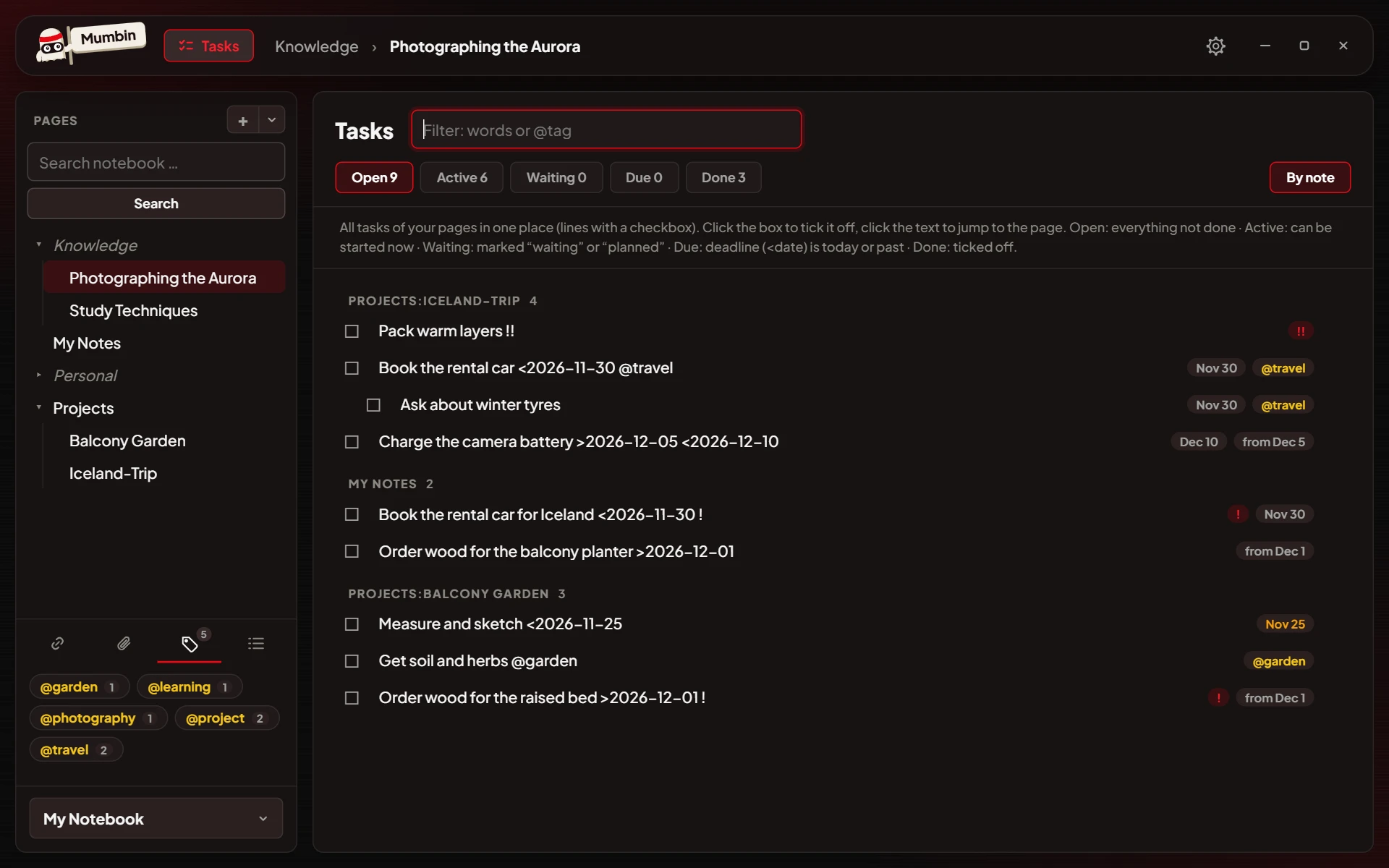
Write tasks straight into the project note. The task overview collects all open, active and due items and groups them by note. You set a start and a deadline with a date picker. The steps are in the guide “Tasks with deadlines”.
5. Organise important documents
Contracts, invoices and certificates can be collected as attachments on a page. With a vault or a sealed notebook, even the file names stay hidden.
6. Build a knowledge collection
Record what you learn, recipes, instructions or finds and connect them with links and tags. How that becomes a personal web of knowledge is shown in the article Build a personal knowledge base.
7. Collect research and ideas
For articles, theses or design ideas you keep sources, quotes and pictures in one place. Search with phrases, exclusions and tags helps you find them again.
8. Confidential work notes
Meeting notes, drafts and client information stay local and can be separated with a password per page. Background in Confidential notes at work.
9. Take your notes with you
A notebook is a folder: copy it with the EXE onto a USB stick and continue on another PC. More in the article A portable notes app.
Start small
You do not need a big plan. One page is enough to begin, and the rest grows with you. Download Mumbin and try the use case that appeals to you most.
Frequently asked questions
Can I keep files such as PDFs in Mumbin?
Yes. You put any file beside a page as an attachment, for example PDFs, scans or spreadsheets. They stay in your notebook folder and can be encrypted together with the page.
Can I keep several notebooks?
Yes. You switch between notebooks with one click, and each lives in its own folder with its own settings.